Last updated: October 27, 2026
Quick Answer: for most laptop work, one precision handle with PH000, PH00, PH0, T5, T6, P5, and Y00 covers the most common screws. A typical kit starts around 7 bit families, and one good set can handle both MacBooks and Windows laptops. A laptop repair job usually comes down to one question: which screwdriver will actually fit the fasteners without stripping them. The short answer is that most laptop work needs a precision driver handle plus the right bits, with Phillips PH00 or PH000, Torx T5/T6, and sometimes pentalobe or tri-point in the mix. The topic here is Laptop screwdrivers, bits, and precision drivers — The Complete Guide. Pick the wrong tip and the screw rounds off before the cover is off.
Key Takeaways
- Match the bit to the head, seat it deeply, and use control in tight laptop spaces.
- Phillips and Torx handle most jobs; pentalobe and tri-point are the specialty heads.
- An interchangeable precision handle usually gives laptop owners the broadest coverage with the least bulk.
- A bit kit gives wider laptop repair coverage; a dedicated driver is mainly faster on one head type.
I write about hardware repair tools, fastener standards, and service workflows, so I can separate the tool names that matter from the ones that only sound official.
The right tool is not a “screwdriver set”; it is the right tip for the screw
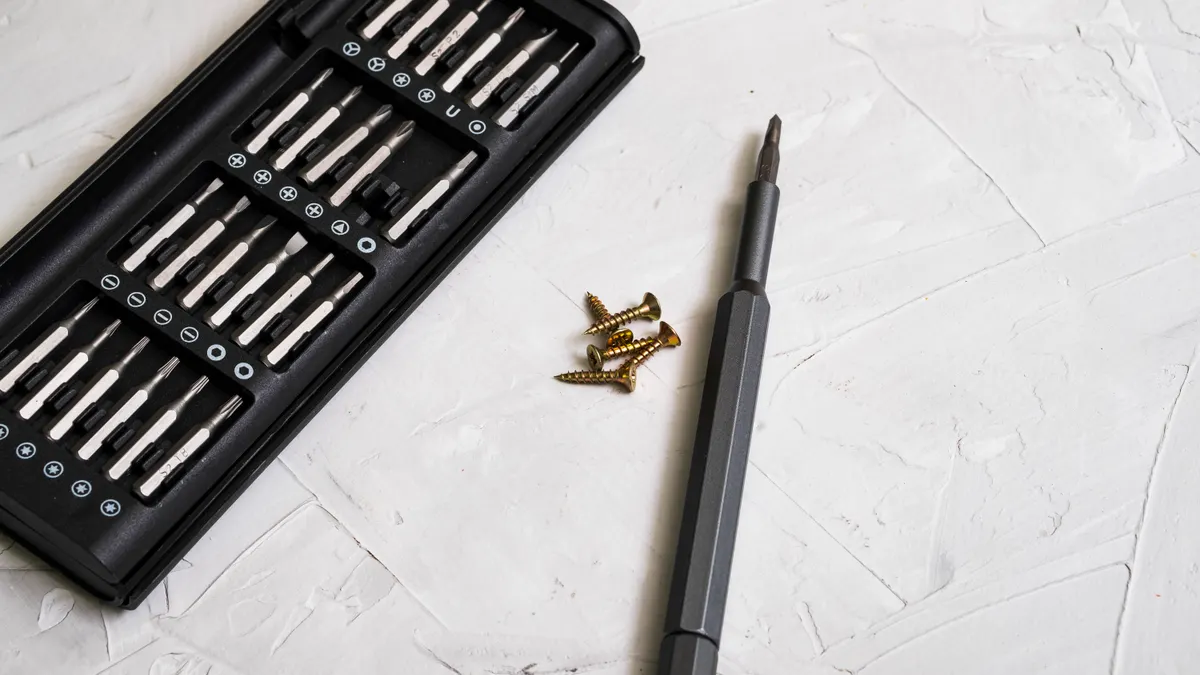
The right tool is the one that matches the screw head, fits deeply enough to avoid cam-out, and gives you control in a cramped chassis. For laptop work, that usually means a precision driver handle with interchangeable bits, not a chunky household screwdriver.
Laptop screws are small for a reason: thin plastic shells, short standoffs, and tight internal spacing leave very little margin for a sloppy fit. A typical precision bit is 4 mm hex or 1/4-inch hex in a compact handle, while many general-purpose screwdrivers are 6 mm or larger and feel oversized around hinge wells, battery covers, and fan shrouds. A good laptop kit also includes a magnetized handle or magnetic bit retention, because many laptop screws are only a few millimeters long and disappear instantly if you drop them. A small screw can be just 2 to 4 mm long, so retention matters.
The biggest mistake is buying by brand label instead of tip family. “For electronics” does not mean “for laptops.” MacBooks, for example, often use pentalobe P5 on the exterior and Torx or Phillips internally. Business laptops from Lenovo, HP, and Dell often rely more heavily on Phillips PH0 or PH00, plus Torx on some base covers or thermal assemblies. If the screw seat is shallow and the bit barely engages, stop. A near-fit is how a screw becomes a circle.
A second mistake is assuming one set covers everything. It rarely does. A laptop toolkit should be judged by the fasteners it actually includes, the depth of its bit sockets, and whether the handle gives enough torque without chewing plastic. If the kit only lists “precision bits” with no actual head types named, skip it. That kind of listing tells you almost nothing useful.
Phillips, Torx, pentalobe, and tri-point: what you actually run into
Phillips and Torx are the daily drivers; pentalobe and tri-point are the specialty cases. That hierarchy matters, because most laptop owners buy the wrong kit for the jobs they actually face.
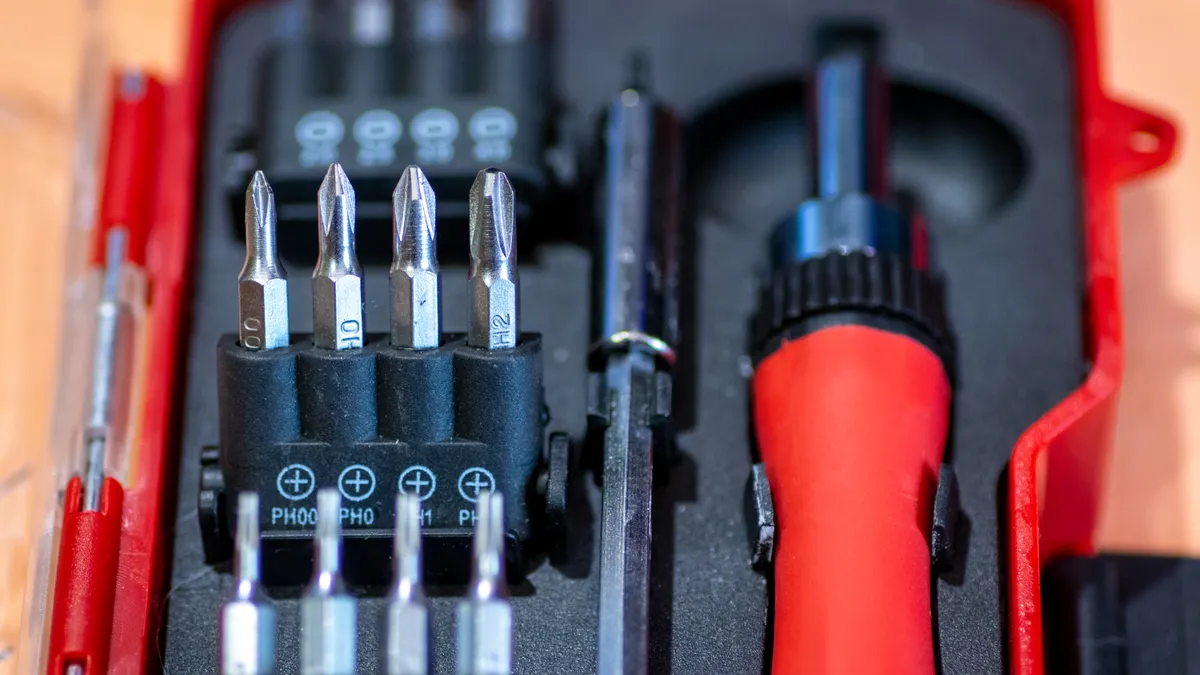
Phillips heads are common in Windows laptops and older machines. The sizes that show up most often are PH000, PH00, and PH0. PH000 is very small and often appears in compact internal assemblies. PH00 is probably the most common “small laptop screw” size in the field. PH0 shows up on slightly larger internal fasteners and some bottom covers. The problem with Phillips is that it is designed to cam out under excess torque. That is useful in assembly lines; it is annoying in repair work. The fix is not more force. It is a properly sized tip seated straight down with steady downward pressure.
Torx heads are better for controlled torque because the six-lobe geometry resists slipping. On laptops, T5 and T6 are especially common, with T8 appearing on larger fasteners or structural points. If a machine uses Torx on the case or hinge area, the manufacturer likely wanted more consistent torque and less fastener damage in service. The drawback is simple: if you grab a worn T5 and try to force it into a tight T6 recess, the lobes can deform before the screw moves.
Pentalobe is the five-point pattern strongly associated with Apple exterior screws. The common small MacBook exterior driver is P5, while some older or different Apple hardware uses larger pentalobe sizes. The strength of pentalobe is tamper resistance and clean appearance. The downside is obvious: if you do not have the exact bit, you are done. This is one reason a laptop kit aimed at “all laptops” but missing pentalobe is not really all-inclusive.
Tri-point, often written Y00 or Y0 depending on size, appears on some Apple internal parts and other compact electronics. It is easy to confuse with worn Phillips at a glance. That confusion causes stripped heads. If the fastener has three distinct wings, do not “make” a Phillips fit.
For official tool and fastener terminology, the U.S. National Institute of Standards and Technology keeps standardization guidance in its publications, and the Industrial Fasteners Institute is useful for general fastener terminology: https://www.nist.gov/ and https://www.industrialfasteners.org/ are reliable starting points, though the exact screw-head families are often documented by manufacturers rather than by one universal standard body.
Precision driver handles vs interchangeable bit sets: which one makes sense?
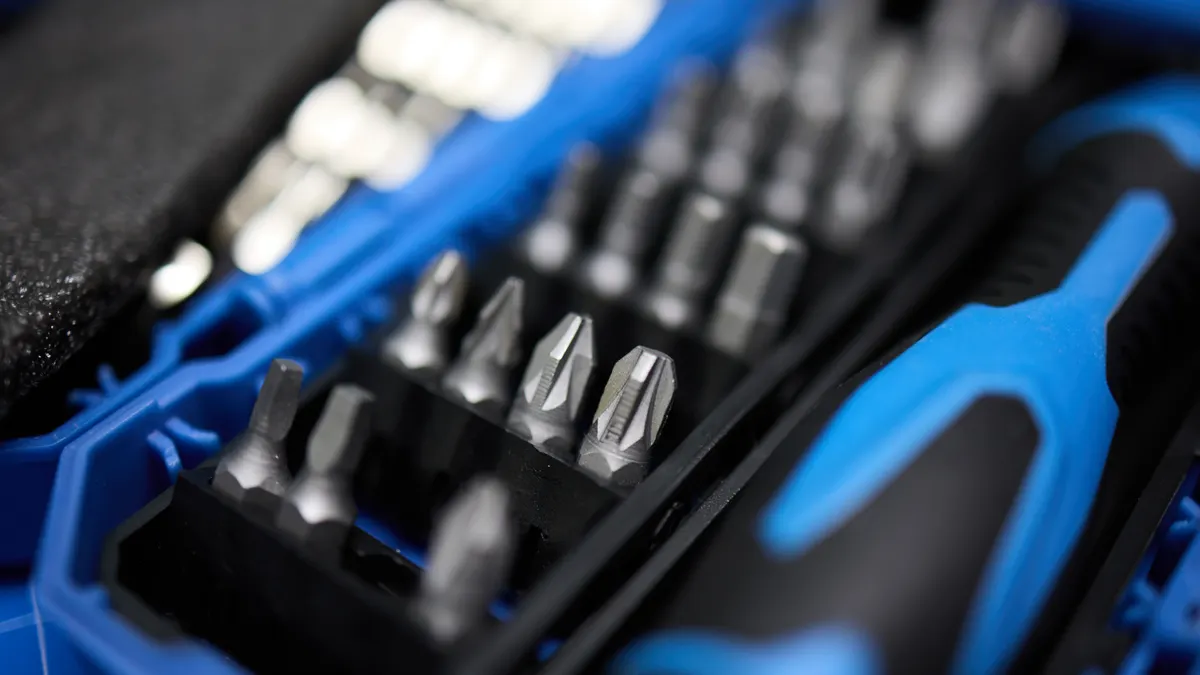
An interchangeable precision handle usually wins for almost every laptop owner because it covers more screw types with less bulk. A fixed-handle screwdriver only makes sense if you work on one very specific device family and know exactly which head you need.
A precision handle holds short bits, usually 4 mm hex shanks, and gives you better control in tight spaces. That matters when a screw sits inside a recessed well or close to a plastic lip. Bit kits also let you carry multiple heads without stacking six screwdrivers on the bench. For laptop repair, that flexibility beats a single-purpose driver almost every time.
The downside is that cheap bit sets often cut corners in the bit itself. If the steel is soft or the tip geometry is sloppy, the tool may fit on day one and start rounding fasteners by day ten. A good bit must be dimensionally consistent, especially on small heads like PH00 or T5. Cheap sets also tend to have weak bit retention, loose organizers, and handles that are too skinny to apply controlled pressure. Those flaws are not cosmetic. They make repairs harder and increase the odds of a stripped screw or a cracked latch.
A fixed-handle screwdriver can still win in one narrow case: repeated work on the same laptop model. If every screw you touch is a T5 with the same recess depth, a dedicated T5 driver can feel faster and more secure than swapping bits. That said, it is a specialized choice, not a general solution. The more your work varies, the less sense a fixed driver makes. If you already know the exact screw family on one device, a single precision driver can be a reasonable speed choice.
For most readers, the smartest buy is a compact precision handle with a bit range that includes PH000, PH00, PH0, T5, T6, T8, and at least one specialty head such as P5 or Y00. If the handle accepts standard 4 mm bits, replacement is easier later. If the set uses proprietary oddball bits, you are married to that kit’s ecosystem for no good reason.
The honest head-to-head: driver handle vs full bit kit
A bit kit wins for laptop repair breadth; a dedicated driver wins only for speed on a single head type. The choice should be based on how many screw families you expect to meet, not on packaging claims.
| Criteria | Precision driver handle | Interchangeable bit kit | Winner for this condition |
|---|---|---|---|
| Screw-type coverage | Limited unless you buy multiple drivers | Broad, often includes PH, Torx, pentalobe, tri-point | Bit kit for mixed laptop work |
| Storage and portability | Very compact | Still compact, but bulkier | Precision driver handle for travel |
| Fit quality on small fasteners | Excellent if the handle is matched to the bit | Excellent if the bits are well-made | Tie, depending on bit quality |
| Speed on repeated same-head jobs | Very good | Slightly slower due to bit swaps | Precision driver handle for one-device work |
| Risk of buying the wrong tool | High if you only own one head size | Lower if the kit is truly complete | Bit kit for first-time buyers |
| Cost of replacing a worn tip | You replace one driver | You replace only the worn bit | Bit kit for long-term use |
| Drawer clutter | Low | Medium | Precision driver handle |
| Compatibility with future repairs | Narrow | Broad | Bit kit |
| Best use case | A single laptop model with known screws | Mixed-brand laptop repair and home electronics | Bit kit |
The key trade-off is control versus range. A precision driver handle feels cleaner in hand, but a good bit kit prevents the “I have the right tool except for this one weird screw” problem. That single exception is common in laptops. A battery bay might use Phillips, the bottom cover might use Torx, and the internal shield might use pentalobe or tri-point. If the set only covers one family, you will end up stalled.
My recommendation is blunt: buy the bit kit first unless you already know your screw family and work on one machine repeatedly. A lone driver is too narrow for the way laptops are actually built.
Which bit sizes matter most for laptops?
PH00, PH000, T5, and T6 matter most because they cover the largest share of ordinary laptop disassembly jobs. If you buy only four heads, start there.
PH00 is the size that gets used again and again in compact electronics. PH000 is smaller and shows up on denser assemblies where the fastener head is tiny. T5 and T6 are the Torx sizes that most often appear in laptop cases, internal brackets, and some thermal hardware. T8 is worth having because it occasionally appears on hinges, larger shell fasteners, or structural parts where the designer wanted more torque capacity.
P5 pentalobe matters if you touch Apple laptops. Without it, you cannot get past the outside shell on many MacBook models. Y00 or Y000 matters less often than PH00 or T5, but it becomes essential the moment the machine uses tri-point fasteners. If you repair for family, friends, or a small office, specialty heads are not optional. They are the price of entry.
One thing most generic kits get wrong is bit depth. A bit may technically fit the profile, but if the shaft is too fat or the tip is too short, it will not seat properly in a recessed screw well. That is especially annoying around bottom covers with deep wells or around screws tucked beside feet and brackets. A clean bit set lists both the head family and the shank size. If the listing hides both, assume the kit is generic and often mediocre.
Another overlooked point is steel quality and tip finish. You do not need marketing language about “hardened alloy”; you need a bit that does not visibly deform after a few carefully applied turns. A poor bit will round a soft screw long before the screw should have failed. That failure is expensive because the damaged screw may require a rubber-band trick, a superglue extraction method, or a left-hand extractor, none of which belongs in normal maintenance.
For readers buying once, I would prioritize a set that includes PH000, PH00, PH0, T5, T6, P5, and Y00, plus a handle with magnetic retention and a snug organizer. That list is not fancy. It is practical.
What the label leaves out: the details that determine whether the kit works
The label tells you almost nothing about whether the kit will actually survive laptop work. The missing details are bit geometry, shaft length, handle grip, and screw retention.
Start with tip geometry. A T5 that is nominally correct but poorly machined will wobble in the recess. A PH00 with sloppy flanks will climb out under pressure. The fit of the head matters more than the slogan on the box. That is why tool sets from reputable makers usually publish exact head families and shank formats. If a listing says “84-in-1 electronics repair kit” and stops there, it may be broad, but it is not informative.
Handle design matters too. A slim precision handle should let you pinch near the shaft for low-torque work and choke up for controlled tightening. Knurled aluminum handles can help, but only if the knurling is fine enough not to chew your fingers. A too-light handle can feel delicate but provide poor feedback. A too-heavy one can fatigue the wrist during longer disassembly sessions. Neither extreme is ideal.
Magnetization is useful, but it is not a cure-all. A magnetized bit helps hold tiny screws, especially the long, shallow ones used in bottom covers. The downside is that magnetic attraction can make screw placement slightly fiddly around ferrous parts. That is a minor problem, not a dealbreaker. More serious is the lack of bit organization. If your kit scatters bits inside a loose case, you spend time hunting for T5 when you should be opening the machine. Check the retention system before you buy.
There is also the question of shaft length. Short bits are fine in a compact handle, but some laptop wells need more reach than a stubby bit can provide. Long-shank precision bits solve that, though they can flex slightly if the fastener is stiff. The best compromise is a kit with a few longer bits for recessed work and standard-length bits for general use.
Finally, consider what the product does not say. If the listing does not specify pentalobe or tri-point, assume they are absent. If it does not name PH000, assume the kit is aimed at general household electronics rather than laptop internals. That single omission is often the difference between a useful kit and a frustrating one.
When a precision screwdriver set is the wrong choice
A precision set is the wrong choice when the job involves large torque, damaged heads, or a machine that uses security fasteners you do not have. In those cases, a more specialized tool is safer.
If a fastener is already stripped, a precision bit set may make the situation worse by encouraging more force in a smaller tool. Once a head is rounded, the correct next step is usually a better-fitting bit, controlled pressure, and a deliberate extraction method. A bit kit cannot magically restore missing metal. If the screw has threadlocker or was over-torqued at the factory, a tiny handle may not provide enough purchase. That is when a larger driver, or even a carefully selected hand tool with more leverage, becomes appropriate.
If the laptop uses security screws outside the standard laptop families, such as tamper-resistant Torx with a center pin, the kit must include the matching security bit. Regular T5 or T6 will not fit. Do not force it. That mistake destroys both the fastener and the bit.
If you are only trying to replace a battery once, borrowing the exact bit may be smarter than buying a huge kit. A one-off task does not justify a drawer full of heads you may never use again. In that case, identify the screw family first, then buy the exact bit or a small set that includes it. The same logic applies if the machine is under warranty or the manufacturer warns that opening the case will void support. A tool question is not the same as a permission question.
There is also a practical limit to cheap kits. A set with fifty pieces is not automatically better than one with twelve well-made heads. Extra size can hide poor fit, loose bits, or flimsy cases. The right question is not “How many bits are included?” It is “Does this cover the heads laptops actually use, with enough accuracy to avoid stripping them?”
The verdict: which one to choose and why
Choose an interchangeable precision bit kit if you repair more than one laptop model, if you are opening a MacBook, or if you want one tool purchase to cover PH00, T5, T6, P5, and Y00. Choose a single precision driver only if you already know the exact screw family on one device and want the fastest, least cluttered setup. Neither is ideal if you expect to service heavily stripped screws, unusual security fasteners, or large mechanical hardware that needs more torque than a small handle can give.
That is the cleanest recommendation because laptop repair is really a fastener-matching problem. The broad kit wins on coverage. The dedicated driver wins on simplicity. The wrong move is buying a random electronics set and hoping it covers everything. It usually does not, and the missing piece is often the one screw that blocks the entire job.
A good first purchase is a compact kit with a proper handle, 4 mm bits, magnetic retention, and the laptop heads that matter: PH000, PH00, PH0, T5, T6, P5, and Y00. If the kit also includes a spudger or pry tools, that is useful, but the screwdriver fit is the part that decides whether the repair starts cleanly or turns into a stripped-head rescue.
What to check before you buy
A good laptop screwdriver set is the one that names the heads clearly, includes the right specialty bits, and avoids vague packaging. That sounds obvious, yet vague listings are still common.
Look for these details before buying:
- Exact bit families listed by name: PH000, PH00, T5, T6, P5, Y00
- 4 mm hex or otherwise clearly stated bit shank format
- Magnetic retention or a clearly described bit hold system
- A handle shape that allows fingertip control near the shaft
- Case or organizer that keeps each bit in place
- Retail availability from more than one source, such as Amazon, Best Buy, Walmart, or the brand’s own site
That last point matters because it reduces the chance of overpaying at one store just because the listing is convenient. It also helps verify the kit is a real, widely sold product rather than a random rebrand with no support.
One more check: compare the screws in the laptop you own with the bits in the kit. If the machine is an Apple laptop, make sure pentalobe is included. If the screw heads look tri-point, verify Y00 or the correct Y size. If you cannot confirm the heads, do not guess. A wrong guess costs more than the kit.
Questions people usually ask before buying
What screwdriver size do most laptops use?
Most laptops use small precision sizes such as PH00, PH000, T5, and T6. Those four cover a large share of common disassembly jobs, but Apple machines often add pentalobe P5 on the outside and sometimes tri-point inside. The exact mix depends on the model and year.
Is a precision screwdriver the same as a laptop screwdriver?
A precision screwdriver is the tool category; a laptop screwdriver is the application. A proper laptop tool is usually a precision handle plus interchangeable bits that match laptop fasteners. A single fixed-tip screwdriver can work, but it is too narrow for mixed laptop repair.
Do I need magnetic bits for laptop repair?
Magnetic bits are very helpful for laptop repair because many screws are tiny and easy to lose. They are not mandatory, but they reduce dropped fasteners and make reassembly easier. The downside is minor: a magnet can make placement slightly fiddly near other metal parts.
Can one kit cover MacBooks and Windows laptops?
One well-chosen kit can cover both, but only if it includes the right specialty heads. For Windows machines, PH00 and T5/T6 do most of the work. For MacBooks, you usually need pentalobe P5 and often tri-point as well. A kit that lacks those bits is not truly universal.
What should I avoid in a cheap set?
Avoid vague “electronics” kits that do not name actual bit families, kits with loose bit holders, and kits that omit pentalobe or tri-point entirely. Also avoid oversized handles that feel built for household screws rather than delicate laptop fasteners. A cheap set that fits poorly can cost more than a better one.
Drafted with AI; not yet reviewed by a person.