Last updated: October 27, 2026
Quick Answer: How to remove a stripped laptop screw usually takes 3 steps before drilling: use a tight-fitting precision screwdriver, try a rubber band, then use a screw extractor if needed. A drill is the last resort. If the screw is holding a bottom cover, SSD shield, or keyboard bracket, this guide is the one to follow.
What to do first when a laptop screw is stripped
The first move in how to remove a stripped laptop screw is to clean the head, seat the right bit hard into the screw, and try again before you touch the shell with anything sharp. Use a precision screwdriver with the largest bit that fully fills the screw head, and press straight down with firm manual pressure while turning slowly.
What usually goes wrong first is not “the screw is impossible”; it is that the bit is too small, worn, or angled. Laptop screws are often tiny Phillips or Torx fasteners, and a bit that looks close is not close enough. A loose fit rides up the slots and rounds them smoother. A head already damaged from a previous repair gets worse fast if you keep spinning it. On many laptops, the screw is only a few millimeters wide, so fit matters.
Before you start, gather:
- A precision screwdriver set
- A rubber band
- Tweezers or a small pick
- A screw extractor set made for small fasteners
- A drill with a very small bit, if you may need last resort removal
Keep the laptop powered off and unplugged. If the screw is in a bottom cover, remove the charger and any external accessories first. If the screw is partly raised, that helps. If it sits flush in plastic or aluminum, that is a harder case and needs more care.
If the head is already nearly smooth, do not keep using the same worn bit. Switch to a new bit or a different profile, such as Torx if the damaged head still has enough shape to bite. For a hub page that covers the tool kit itself, the laptop screwdriver set guide belongs elsewhere; this article is about getting one damaged screw out without destroying the rest of the machine. How to remove a stripped laptop screw starts with the right bit, not force.
How do I remove a stripped laptop screw?
You remove a stripped laptop screw by starting with grip-based fixes, then moving to extraction only if the screw still will not turn. The order matters: better bite first, rubber band second, extractor third, drill last. That sequence protects the surrounding case and threads.
-
Match the bit size to the damaged head.
Try the next larger precision bit only if it still seats fully; a bit that rocks will strip the head more. For many laptop screws, the correct fit is a Phillips or Torx bit that goes deep enough to touch the walls, not just the top. When this works, the bit sits flat and does not slip as you turn. -
Press straight down with steady force and turn slowly.
Keep the screwdriver vertical and put enough pressure on it that the bit stays buried in the head. Turn in short, controlled motions instead of a fast twist. When it works, the screw starts to move with a slight crack or a tiny rise from the surface. -
Add a rubber band for extra grip if the slots are rounded.
Lay a flat rubber band over the head, push the bit through it, and turn while maintaining pressure. The rubber fills small gaps and can give the bit enough bite to start the screw. This helps most on a lightly stripped Phillips head with only shallow damage. -
Tap the bit into the head if it keeps camming out.
A light push downward can help the bit settle into what is left of the recess. Do not hammer hard on a laptop shell; a small controlled tap is enough if you use one at all. When it helps, the bit stops climbing out of the screw under torque. -
Use a screw extractor if the head still refuses to move.
Choose a small extractor sized for the screw, make a pilot mark if the tool requires it, and turn it according to the extractor’s direction. Extractors bite into the damaged head and back the screw out. When this works, the screw starts turning even though the original recess is gone. -
Drill the head only if the screw is the last obstacle.
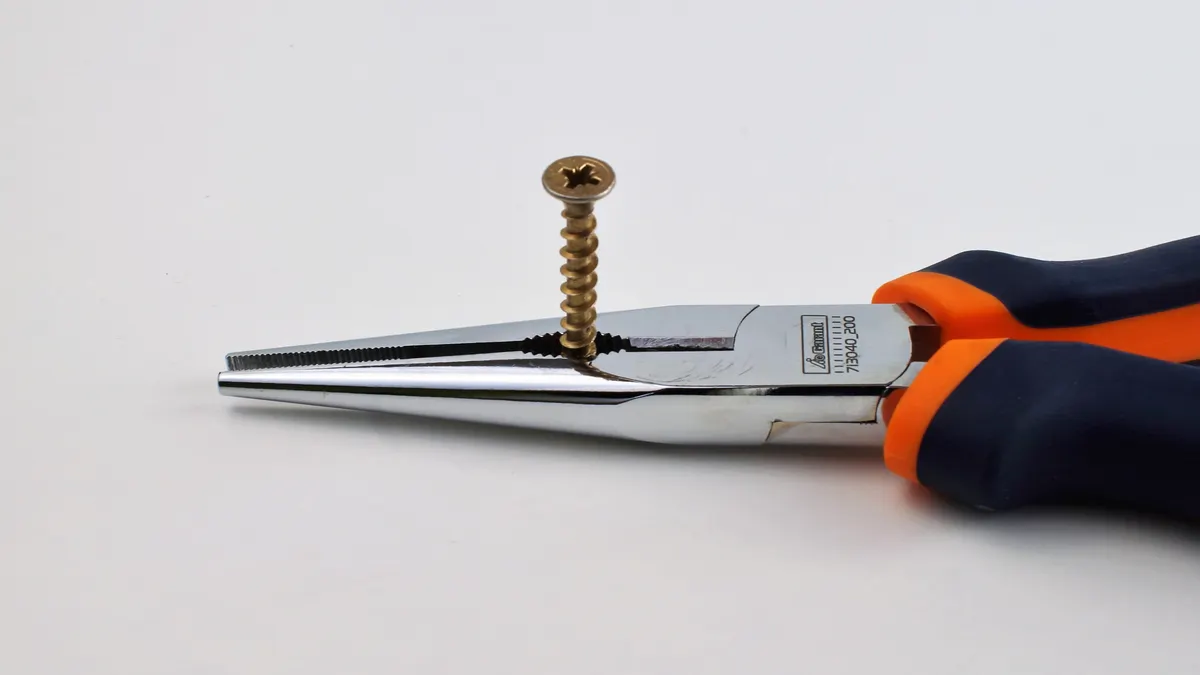
Use a small drill bit and remove just the screw head, not the surrounding bracket or threaded post. Once the head comes off, lift the cover or part away and back out the remaining shank with pliers if it is exposed. This is the most destructive option and should be the end of the line, not the starting point. -
Replace the screw immediately after removal.
Toss the damaged screw and use a new one of the same size and thread. Reusing a rounded fastener invites the same failure the next time the laptop is opened.
The best result is usually simple: the screw turns without the driver skating across the head, and the part lifts free without scarred plastic or gouged metal.
The rubber band method for a stripped laptop screw
The rubber band method works best on a lightly stripped screw with enough shape left for the bit to catch. It is cheap, fast, and worth trying before any cutting or drilling, but it fails when the head is almost perfectly round or packed into a deep recess.
Use a wide, flat rubber band, not a thin loop that tears immediately. Cut or fold it so it lies flat over the screw head. Place the precision screwdriver bit directly on top, push down firmly, and turn slowly. The goal is for the rubber to fill the worn gaps and increase friction between the bit and the screw.
This method has limits. If the screw is tiny, badly chewed, or set below the surface of a case opening, the band can bunch up and slip away instead of helping. It also does nothing if the bit is the wrong size. A damaged Phillips screw still needs a Phillips bit that fits as closely as possible; the rubber band is a helper, not a replacement for proper sizing. For how to remove a stripped laptop screw on a cover screw, this is often the easiest first try.
A common mistake is turning too fast. Fast motion breaks the rubber’s grip and lets the bit skate across the head, which damages it further. Another mistake is using a stretchy band that is too thick. That adds thickness, not bite. A thin, flat band gives better contact. If the screw starts to move, keep the same slow pressure until it is fully out.
For many laptop covers, this method is often the safest first escalation because it costs nothing and leaves no marks if it fails cleanly. It is not the right answer for a screw that is buried in a soft plastic standoff or already shaved into a smooth dome. In that case, move on instead of grinding away the last of the head.
When a screw extractor makes sense
A screw extractor makes sense when the head is too damaged for a normal bit but the screw still has enough body to bite. It is the middle ground between gentle methods and drilling, and it is the right choice when a laptop screw is recessed or too tight for friction tricks alone.
Use the extractor only after you have failed with the correct precision screwdriver and the rubber band method. Pick a small extractor meant for miniature fasteners; a large woodworking-style extractor is the wrong tool and can split the surrounding material. Some extractor sets ask for a pilot hole. If so, keep that hole centered and as small as the tool allows. The point is to bite the screw, not enlarge the hole in the laptop frame.
Apply slow, even torque. If the extractor starts to bite, the screw should move with a steady, resisting turn. If it chatters, slips, or begins to wander sideways, stop. Wandering means the tool is chewing the head rather than turning it, and that can destroy what little purchase remains.
This method carries a trade-off: it can rescue a screw that hand tools cannot, but it can also make a small repair much messier if the extractor slips. That is why it belongs after the rubber band method and before drilling. It is also the better option when the screw is important enough that you want to preserve the surrounding bracket or thread as much as possible.
If the screw is rusted, glued, or cross-threaded from the start, the extractor may still fail. In that case, drilling the head off is the honest last resort. There is no prize for forcing a tool that is already losing.
Should I drill out a laptop screw?
Yes, but only as a last resort when every non-destructive method has failed. Drilling works by removing the screw head so the part can come free, but it is the easiest way to scar the case, slip into nearby plastic, or damage the threaded post under the screw.
If you drill, use the smallest bit that will cut the head away, not a large bit that chews the whole area. Keep the drill perpendicular to the screw and use light pressure. Stop as soon as the head separates. Once the head is off, lift the cover or bracket off the remaining shank. If enough of the screw remains exposed, grip it with fine pliers and turn it out by hand.
This is the point where patience pays off. A laptop shell, especially around a bottom cover or hinge area, can crack if the drill walks. A small slip can also turn one bad screw into a broken post or a stripped thread in the chassis. That is why drilling is the final step, not the second step.
There is one honest limitation here: if the screw is holding a part under tension, drilling can release that tension suddenly. Go slowly and keep fingers clear of the bit path. If the screw is in a critical structural point and the surrounding material is already damaged, a repair shop may be the safer way to avoid turning a single stuck screw into a broken mount.
How to avoid stripping the next laptop screw
You avoid the next stripped laptop screw by using the right bit, the right angle, and just enough force to keep the bit seated. Most damage starts during removal, not because the screw was defective. A clean first attempt matters more than any rescue trick.
Start with a bit that fits the head fully. If the driver rocks, it is wrong. Hold the tool straight, press down before turning, and use slow torque instead of a quick twist. If the screw resists immediately, stop and reassess. Forcing it through the first quarter-turn is how many heads get rounded.
Keep the screw and the bit clean. Dust, adhesive residue, and oily fingers make the tool slip. If the screw was installed with thread locker, it may need a little more force than a normal laptop fastener, but that does not mean brute force. It means better fit and steadier pressure.
Save the old screw only for comparison. Once one is damaged, do not put it back into service. A fresh screw costs less than a stripped post or a cracked cover. If you are opening laptops regularly, keep a small container for removed screws and label the lengths so they go back where they came from. How to remove a stripped laptop screw is easier to remember than how to repair a cracked mount.
The main trade-off is simple: slower work takes longer, but it protects the machine. That trade-off is worth making on any laptop you still want to open again cleanly.
Key Takeaways
- Start with the least aggressive fix and only move up if the screw still will not turn.
- A tight-fitting precision screwdriver solves more stripped screws than most people expect.
- Rubber bands help only when the head still has some shape left.
- Screw extractors are for damaged heads that still deserve a controlled recovery.
- Drilling works, but it is the last move because it risks the surrounding case and threads.
- The best prevention is straight pressure, the right bit size, and no rushed twisting.
What do i do if a laptop screw is stripped?
Start with the correct precision screwdriver and strong downward pressure, then try a rubber band if the head is only lightly damaged. If that fails, move to a small screw extractor before drilling. The safest order is least invasive first, because each failed attempt can make the head smoother and harder to save.
can i use a rubber band to remove a stripped screw?
Yes, if the screw is only lightly stripped and the head still has some recess left. The rubber band fills small gaps and can improve grip for a precision screwdriver. It is not a fix for a fully rounded head, a recessed screw, or a bit that does not fit properly.
should i drill out a laptop screw?
Only as a last resort. Drilling can remove the head, but it also raises the risk of damaging the surrounding plastic or metal and the threaded post below it. Try a better-fitting bit, then a rubber band, then a screw extractor first. If you drill, use the smallest bit that will do the job.
Drafted with AI; not yet reviewed by a person.